



YouTube TV Update Removes Background Playback on Older Roku Devices, Leaving Many Users Frustrated
YouTube TV Quietly Changes a Popular Feature on Older Streaming Devices
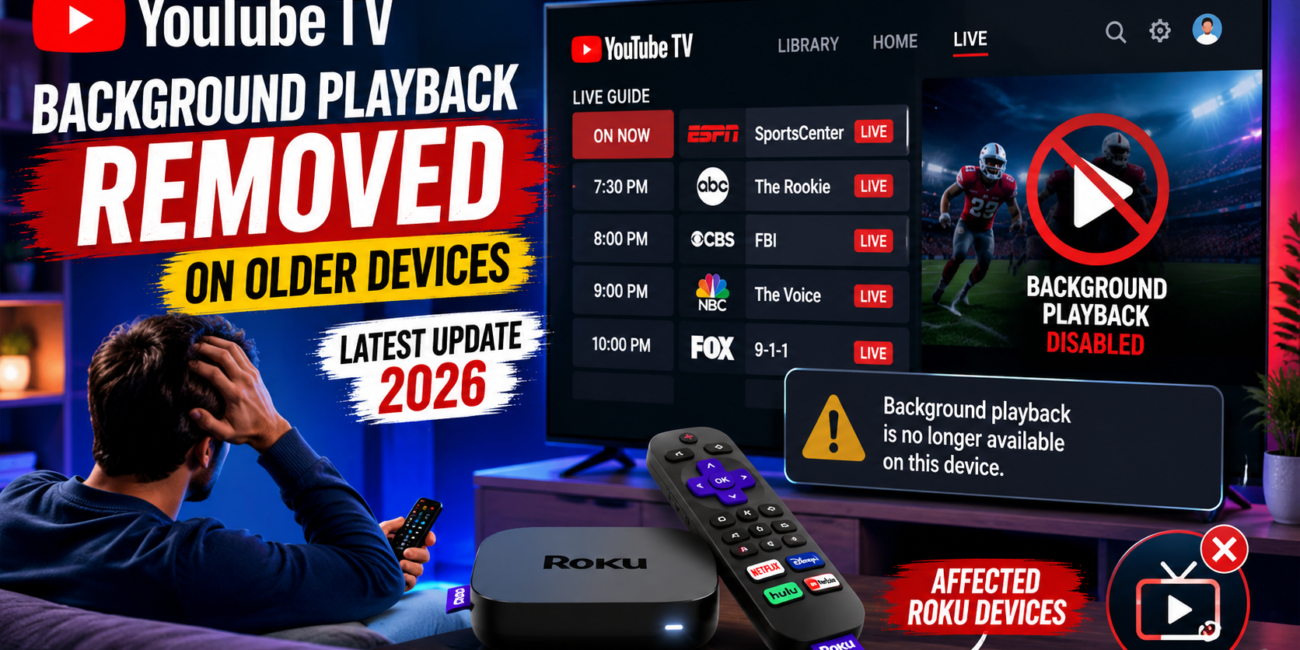
Google’s YouTube TV has introduced a change that is drawing attention from subscribers, particularly those using older Roku devices and other low-powered streaming hardware. According to multiple user reports and technology publications, a recent update has removed the ability to continue watching live television while browsing the Live Guide on certain older devices. The change appears to be part of Google’s effort to improve performance and stability, but many users say it has come at the cost of a feature they used regularly.
The update was not accompanied by a major announcement, which has made the change even more surprising for many subscribers. Instead, users began noticing that the familiar viewing experience had changed after updating the application. Discussions quickly emerged across online communities, with viewers reporting that live content no longer continues playing in the background while they navigate the channel guide.
What Background Playback Meant for YouTube TV Users
For years, one of the most convenient aspects of YouTube TV was its Live Guide experience. When users opened the guide to browse channels, upcoming programs, or sports events, the currently playing channel would continue running in the background. This allowed viewers to keep watching or listening to a program while searching for something else to watch.
The feature created a seamless television-like experience that many subscribers appreciated. Sports fans could monitor ongoing games while checking upcoming broadcasts. News viewers could continue listening to live coverage while browsing through channels. For many households, background playback became a normal part of daily viewing habits.
Following the latest update, affected users report that the current program stops playing once the Live Guide is opened. In some cases, the video disappears entirely, while in others a blank or loading screen appears. As a result, users must leave the guide and return to the program if they want to continue watching live content.
Older Roku Devices Appear to Be the Most Affected
Although Google has not released an official list of impacted hardware, reports suggest that older Roku devices are among the primary devices affected by the change. Users with aging streaming sticks and entry-level Roku players have reported losing the background playback functionality after installing recent updates.
Some older smart TVs may also be experiencing similar limitations. However, reports have been less consistent across television brands, making it difficult to determine exactly which models are affected.
Newer streaming devices appear to retain the original experience. This has led many observers to believe that Google is restricting the feature on hardware that lacks sufficient processing power or memory to handle both live playback and guide navigation simultaneously.
The lack of a detailed compatibility list has created confusion among subscribers. Many users are unsure whether the issue is temporary, a bug, or a permanent limitation introduced through the update.
Google’s Focus on Performance and Stability
Industry observers believe the change is linked to performance optimization efforts. Streaming platforms constantly face the challenge of supporting a wide range of devices, many of which were released years ago with significantly less powerful hardware than today’s products.
Maintaining advanced interface features on older devices can place additional strain on processors, memory, and graphics systems. By disabling background playback during guide navigation, Google may be attempting to reduce crashes, shorten loading times, and improve overall reliability for users with older hardware.
While this approach may provide technical benefits, it also highlights a growing challenge in the streaming industry. As applications become more sophisticated, older devices often struggle to keep pace with modern software requirements. Companies are frequently forced to balance feature availability with performance considerations.
For YouTube TV subscribers, however, the practical impact is what matters most. Many users feel that losing a feature they relied on daily represents a step backward, regardless of the technical reasons behind the decision.
Another Change Affecting the Live Guide
In addition to the removal of background playback, some users have reported a second limitation related to the Live Guide itself. According to various reports, certain devices now display a much shorter schedule window than before.
Previously, viewers could browse programming schedules well into the future, making it easy to plan upcoming recordings or identify future broadcasts. Following the update, some affected devices reportedly show only about 24 hours of future programming information.
While Google has not publicly confirmed this behavior as part of the update, the timing has led many users to connect the two changes. If accurate, the limitation could further impact the overall usability of YouTube TV on older hardware.
Subscribers who rely on advance schedule browsing for sports events, television premieres, or special broadcasts may find the reduced guide range particularly frustrating.
User Reactions Continue to Grow
Reaction from the YouTube TV community has been largely negative. Across online forums and discussion platforms, users have expressed disappointment over the removal of what many consider a core viewing feature.
Some subscribers argue that the feature had been working properly for years and see no reason for it to be removed. Others believe that customers paying for a premium live television service should continue receiving the same functionality regardless of device age.
Several users have described the updated experience as less intuitive and less convenient than before. For viewers accustomed to browsing channels while keeping an eye on live content, the change alters a familiar routine.
At the same time, some community members acknowledge that performance improvements may be necessary on aging hardware. They argue that if disabling the feature prevents crashes and improves reliability, the trade-off may be justified from a technical perspective.
The debate highlights the broader tension between innovation and compatibility that many technology companies face when updating products and services.
Are There Any Solutions?
Some users have reported limited success after reinstalling the YouTube TV application or restarting their devices. In a few cases, the original functionality appeared to return temporarily. However, these reports remain inconsistent and do not appear to provide a reliable long-term solution.
Others have suggested that upgrading to a newer streaming device restores the full YouTube TV experience. Modern Roku players and other streaming platforms generally offer stronger hardware capabilities that can better support advanced interface features.
For subscribers using devices that are several years old, upgrading may ultimately become the most practical option. However, many users remain frustrated by the prospect of purchasing new hardware simply to regain functionality they previously had.
The Bigger Picture for Streaming Platforms
The YouTube TV update reflects a trend affecting the broader streaming industry. As services introduce more advanced features, personalized recommendations, interactive interfaces, and AI-powered enhancements, the hardware requirements needed to support those experiences continue to increase.
Older streaming devices that once handled video playback with ease may struggle with modern software demands. This often forces companies to make difficult decisions about feature support, compatibility, and performance optimization.
For consumers, these decisions can feel abrupt, particularly when changes arrive without significant warning. The YouTube TV update serves as a reminder that streaming services are constantly evolving, and that device age increasingly plays a role in determining which features remain available.
Whether Google expands support, reverses the change, or provides additional clarification remains to be seen. For now, affected users must adapt to a different viewing experience or consider upgrading to newer hardware if they wish to regain the convenience of background playback while browsing the Live Guide.
As discussion continues within the YouTube TV community, the update is likely to remain a topic of debate among subscribers who value both performance and functionality in their streaming experience.