





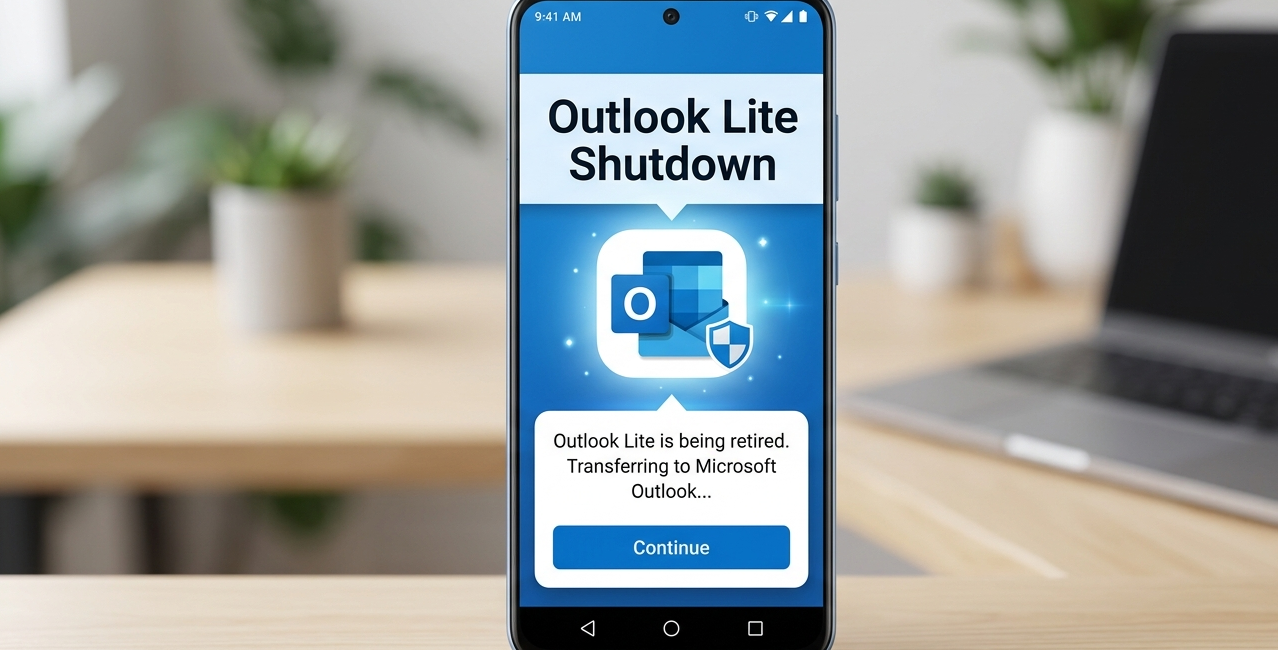
Microsoft to Shut Down Outlook Lite for Android: Everything Users Need to Know
Introduction
Microsoft has announced that it will discontinue its lightweight email application, Outlook Lite, for Android users in the coming weeks. The decision has sparked widespread discussion among users, particularly those who rely on low-storage apps and budget smartphones. Outlook Lite was specifically designed for devices with limited RAM, slower processors, and constrained internet connectivity. For many users, especially in developing markets, the app offered a fast and efficient way to access email without the heavy resource demands of the full Outlook app.
However, Microsoft has now decided to phase out the Lite version and push users toward its main Outlook mobile application. The company says this move is part of a broader strategy to unify its mobile experience and focus on delivering features through a single app instead of maintaining multiple versions.
This article explains what Outlook Lite is, why Microsoft is shutting it down, who will be affected, what users should do next, and what this means for the future of mobile email apps.
What Is Outlook Lite?
Outlook Lite is a simplified version of Microsoft Outlook designed specifically for Android devices with limited hardware capabilities. The app was built to take up less storage space, use less RAM, and consume minimal mobile data. Unlike the full Outlook app, which includes advanced features and integrations, Outlook Lite focused primarily on basic email functionality.
The application was particularly useful for users who had:
- Entry-level Android smartphones
- Limited internal storage
- Slower mobile internet connections
- Older Android versions
- Data-saving requirements
Outlook Lite also featured a simplified interface that loaded quickly and reduced background processes. This made it ideal for users who wanted a straightforward email experience without extra features.
The app gained popularity in regions where affordable smartphones dominate the market. It helped Microsoft reach users who otherwise might rely solely on webmail or other lightweight email clients.
When Will Outlook Lite Stop Working?
Microsoft has confirmed that Outlook Lite for Android will stop functioning around late May 2026. Users currently using the app will need to transition to the full Outlook mobile app before this deadline.
After the shutdown date, the app may still open on devices, but its functionality will be limited or completely disabled. Users may experience:
- Emails no longer syncing
- Calendar features not working
- Notifications stopping
- Attachments failing to load
- Login issues
- Server connection errors
Eventually, the app may become completely unusable. Microsoft is encouraging users to switch early to avoid disruptions.
Why Microsoft Is Shutting Down Outlook Lite
Microsoft has not made this decision lightly. Several factors likely influenced the company’s move to discontinue the lightweight app.
1. Unified App Strategy
Maintaining two separate Outlook apps requires additional development, testing, and maintenance. Microsoft appears to be consolidating its efforts into one primary Outlook mobile app. This allows the company to deliver updates, security patches, and new features more efficiently.
By focusing on a single app, Microsoft can ensure all users receive the same experience and improvements simultaneously.
2. Improved Android Hardware
When Outlook Lite was introduced, many Android phones struggled with performance and storage limitations. Today, even budget smartphones come with better processors, more RAM, and larger storage capacities. This reduces the need for a lightweight alternative.
Microsoft likely believes that most users can now run the full Outlook app without major performance issues.
3. Feature Limitations in Outlook Lite
Outlook Lite intentionally lacked many advanced features available in the main Outlook app. These included:
- Advanced spam filtering
- AI-based email suggestions
- Calendar integrations
- Cloud file attachments
- Contact syncing enhancements
- Security improvements
- Enterprise account features
Supporting these features in a lightweight app would be difficult. By moving users to the main Outlook app, Microsoft can provide a more powerful experience.
4. Security and Compliance
Security updates are critical for email applications. Maintaining two apps increases the complexity of security patches. Consolidating to one app helps Microsoft strengthen protection and reduce vulnerabilities.
This is particularly important for business and enterprise users who rely on secure communication.
5. Reduced Fragmentation
Multiple versions of the same app create fragmentation in user experience. Developers must test features across different builds. Documentation and support also become more complex.
Moving everyone to one app simplifies development and support.
Who Will Be Affected by the Shutdown?
The shutdown mainly affects Android users who installed Outlook Lite. These users may include:
- People using low-end smartphones
- Users with limited storage
- Users on slow mobile networks
- Users who prefer minimal apps
- People who intentionally chose lightweight apps
However, many users will not be affected.
Users NOT affected include:
- Regular Outlook mobile app users
- Outlook web users
- iPhone users
- Gmail users
- Third-party email client users
If you are already using the full Outlook app, you do not need to take any action.
What Users Should Do Now
Microsoft recommends switching to the full Outlook app before the shutdown date. The transition is simple and does not result in data loss.
Follow these steps:
- Open Google Play Store
- Search for Microsoft Outlook
- Install the official Outlook app
- Open the app and sign in
- Sync email, calendar, and contacts
- Confirm emails appear correctly
- Uninstall Outlook Lite
Once signed in, all emails will automatically appear because they are stored on Microsoft servers.
Will Emails or Data Be Deleted?
No. The shutdown only affects the Outlook Lite application. It does not affect your email account or stored messages.
Your data is saved in the cloud, not inside the Lite app. This means:
- Emails remain safe
- Attachments remain safe
- Contacts remain safe
- Calendar events remain safe
- Account settings remain safe
When you log into the full Outlook app, everything will reappear automatically.
Benefits of Switching to Full Outlook App
Although some users may miss the lightweight design, the full Outlook app offers several advantages.
Better Features
The full Outlook app includes advanced tools such as:
- Smart inbox sorting
- Email scheduling
- Focused inbox
- Calendar integration
- Contact management
- Cloud storage attachments
These features improve productivity and organization.
Improved Security
The main Outlook app receives frequent updates and stronger protection against spam, phishing, and malicious attachments.
Better Performance Optimization
Modern versions of Outlook are optimized for newer Android devices. Microsoft has improved performance compared to earlier versions.
Long-Term Support
Outlook Lite will no longer receive updates. The full Outlook app will continue to be supported and improved.
Possible Concerns from Users
Despite the benefits, some users may have concerns.
Storage Size
The full Outlook app is larger than Outlook Lite. Users with limited storage may need to free up space.
Data Usage
The full app may use more background data. Users on limited data plans may notice increased usage.
Performance on Older Phones
Very old Android devices may experience slower performance with the full app.
However, Microsoft appears confident that most devices can handle the main Outlook app.
Alternatives to Outlook
Users who prefer lightweight email apps can also consider alternatives such as:
- Gmail app
- Email apps from device manufacturers
- Third-party lightweight email clients
- Webmail via browser
However, Microsoft recommends using the official Outlook app for best compatibility.
Microsoft’s Broader App Strategy
The shutdown of Outlook Lite reflects a broader trend in Microsoft’s mobile strategy. The company is increasingly focusing on unified apps rather than multiple lightweight variants.
This approach allows Microsoft to:
- Deliver faster updates
- Reduce development complexity
- Improve security
- Maintain consistent design
- Expand features quickly
Many technology companies are moving in a similar direction as smartphone hardware improves.
What This Means for the Future
The discontinuation of Outlook Lite signals that lightweight apps may become less common as devices grow more powerful. Developers may prioritize feature-rich applications instead of maintaining multiple versions.
However, there will likely still be demand for data-saving apps in regions with limited connectivity. Whether Microsoft introduces a new lightweight option in the future remains unclear.
For now, users must transition to the full Outlook experience.
Conclusion
Microsoft’s decision to shut down Outlook Lite for Android marks the end of a lightweight email solution that served millions of users. While the app was valuable for low-end devices and limited connectivity, improvements in smartphone hardware and Microsoft’s unified app strategy have made it less necessary.
Users currently relying on Outlook Lite should switch to the full Outlook app before the shutdown date to avoid interruptions. The transition is straightforward, and all data remains safe.
Although some users may miss the simplicity of Outlook Lite, the full Outlook app offers better features, improved security, and long-term support. This change reflects Microsoft’s push toward a single, modern email experience for Android users worldwide.

Other Articles

Why Anthropic’s Google Deal Could Make Nvidia Nervous




[…] Also Read This […]